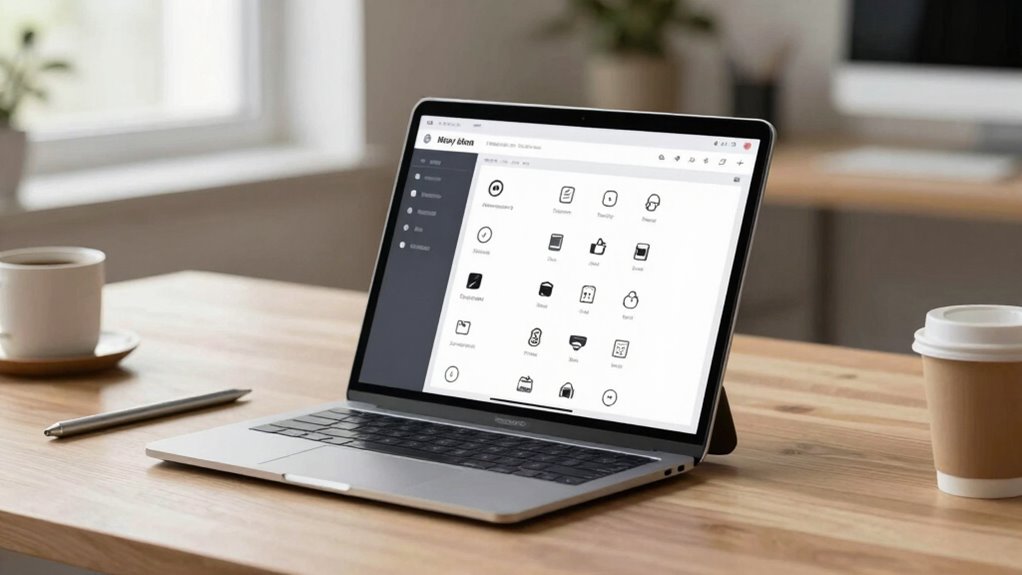

To create believable interfaces for fake devices, focus on designing realistic visuals with authentic color schemes, icons, and device-specific cues. Anticipate user actions to craft smooth, intuitive interactions that mimic real-world behavior, and pay attention to small details like shadows and feedback for added authenticity. Guarantee your visuals and responses are consistent, cohesive, and aligned with user expectations. If you keep exploring, you’ll discover how to make your fake device feel truly convincing.

Get art and craft supplies delivered free with Prime
- Fast, free delivery on millions of items
- Prime Video, Amazon Music and more included
- Member-only deals all year
Key Takeaways
- Study real device interfaces to replicate authentic visual styles, icons, and interaction patterns.
- Anticipate user actions to craft seamless, realistic interaction flows that mirror genuine device behavior.
- Incorporate detailed visual cues like shadows, gradients, and familiar UI elements for tactile realism.
- Ensure visual design and responses align, providing immediate feedback and smooth transitions.
- Maintain consistency in branding, typography, and layout to reinforce credibility and narrative coherence.
Designing convincing interfaces for fake devices is essential to creating believable user experiences, especially in scenarios like prototypes, simulations, or storytelling. When you craft these interfaces, your goal is to make users believe they’re interacting with real technology, which means every detail matters. To achieve this, anticipate user actions and create a flow that mimics real-world interactions, giving them confidence that they’re engaging with something authentic.
Visual design plays a critical role in reinforcing this authenticity. Every visual element, from color schemes to typography, should align with the device’s supposed purpose and brand. Use familiar visual cues to guide users effortlessly. For instance, if you’re simulating a smartphone, incorporate standard icons, status bars, and familiar layouts. Consistency in visual language helps users quickly understand how to navigate and interact, reducing cognitive load. Pay attention to details like shadows, gradients, and spacing—these subtle touches can make the interface feel more three-dimensional and tactile. Avoid overly simplistic designs that scream “fake,” and instead, aim for a polished look that resembles real devices. Your goal is to make users forget they’re looking at a staged interface, so every visual element should reinforce realism. Additionally, understanding user expectations and how they influence interaction design can help you craft interfaces that feel genuinely intuitive and believable.
Maintaining coherence between visual design and user experience is equally important. If your interface looks sleek and modern but responds sluggishly or unpredictably, users will notice the disconnect. Make sure that visual cues match functional responses: buttons should have hover states, feedback should be immediate, and transitions should be smooth. These details contribute to a cohesive experience that feels authentic. Keep in mind that users often rely on visual cues to interpret interactions, so every element should serve a purpose in conveying functionality. Understanding visual consistency throughout your design further enhances realism, as it creates a seamless interaction flow that mimics real-world devices. Incorporating user behavior patterns into your design process can also help anticipate how users will interact with your fake device, making the experience more convincing. Paying attention to interface feedback ensures users receive cues that reinforce the device’s supposed responsiveness and reliability. When you thoughtfully simulate device responsiveness, it further enhances the believability of your fake device. By carefully balancing visual design and user experience, you create a convincing interface that supports your narrative or prototype without raising suspicion. Ultimately, your attention to detail and commitment to realism will make your fake device feel genuinely real to anyone interacting with it.
Popular right now

TCL 85 Designer Series QD-Mini LED TV (Model 85A400U) with Google Smart TV

Vitamix Propel Series 750 Professional-Grade Blender, 4 Programs, Black

De'Longhi Dinamica Plus Fully Automatic Espresso Machine
As an affiliate, we earn on qualifying purchases.
Frequently Asked Questions
How Do You Test User Responses to Fake Device Interfaces?
You test user responses to fake device interfaces by observing their interactions and collecting feedback on their experience. Focus on interactive feedback—note how they react to responses and cues from the interface. Engage users in tasks to measure their engagement levels and identify any confusion or hesitation. Analyzing their behavior helps you refine the interface, ensuring it appears realistic and enhances user engagement for authentic testing scenarios.
What Tools Are Best for Designing Fake Device Interfaces?
Imagine your design as a painter’s canvas—tools shape every brushstroke. For visual design and interaction flow, tools like Figma and Adobe XD are your palette, offering flexibility and real-time collaboration. Sketch is perfect for sleek interfaces, while InVision helps you prototype user journeys seamlessly. These tools let you craft believable fake device interfaces that feel authentic, engaging users and sparking genuine reactions.
How Can You Make Fake Interfaces Seem More Intuitive?
To make fake interfaces seem more intuitive, focus on visual consistency, ensuring elements like colors, fonts, and icons match real devices. Use familiar design patterns users recognize, which boosts user engagement and reduces confusion. Keep interactions simple and responsive, mimicking real device behavior. Clear labels and logical navigation also help users understand how to operate the fake device effortlessly, making the experience feel more authentic and user-friendly.
What Ethical Considerations Exist When Creating Fake Devices?
When creating fake devices, you need to take into account deception ethics and user manipulation. You should be transparent about the device’s nature to prevent misleading users or exploiting their trust. Avoid designing interfaces that manipulate emotions or decisions unfairly. Prioritize honesty and respect user autonomy, ensuring your fake device doesn’t infringe on ethical standards. Maintaining these principles helps you balance creativity with responsible design.
How Do You Handle User Skepticism About Fake Interfaces?
You handle user skepticism by focusing on user perception and trust-building. Clearly communicate that the interface is a simulation, emphasizing its purpose and limitations. Use consistent, realistic visuals and interactions to reinforce believability. Engage users with transparency, encouraging questions and feedback. Over time, as they see the interface’s reliability and purpose, their skepticism diminishes, fostering trust and a more seamless experience.
Conclusion
By crafting interfaces that feel authentic, you breathe life into your fake devices, making them almost indistinguishable from real ones. When your design resonates with users, it’s like planting a seed of trust that blooms into belief. Remember, every detail matters—attention to realism transforms your creation from an illusion into a convincing experience. With careful design, your fake device becomes a mirror reflecting genuine technology, mesmerizing hearts and minds like a beautiful illusion that’s too good to be true.