
TL;DR

Get art and craft supplies delivered free with Prime
- Fast, free delivery on millions of items
- Prime Video, Amazon Music and more included
- Member-only deals all year
In 2026, building your own AI workstation isn’t always cheaper anymore. Prebuilts offer validated thermals, support, and quick deployment, but custom builds give you control and potential savings. Your choice depends on your workload, budget, and willingness to tinker.
Imagine you’re ready to dive into AI training or inference. Do you build your own machine from parts, or buy a ready-made system that’s tuned and tested? That choice has never been more critical—or more complicated. The old rule was simple: build to save money, buy to save time.
But in 2026, the landscape has changed. Supply chain hiccups, skyrocketing GPU prices, and bulk buying by vendors mean prebuilts often match or beat DIY costs. So, your decision isn’t just about dollars—it’s about control, support, and how quickly you need to get started.
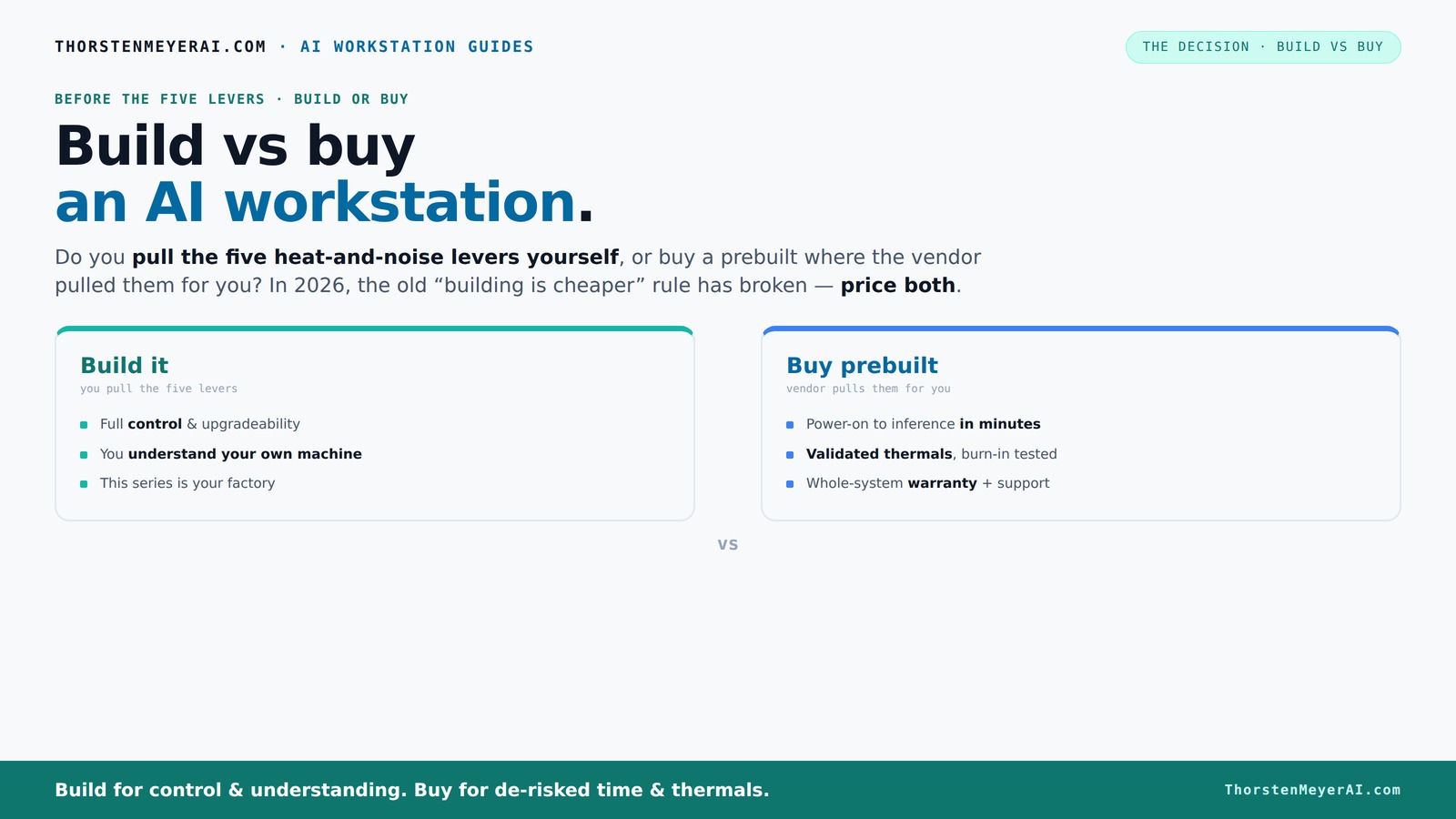
This guide walks you through the real tradeoffs, helping you decide which approach fits your workload, budget, and patience for tinkering.Build vs buy
an AI workstation.
The real question behind this whole series: do you pull the five heat-and-noise levers yourself, or buy a prebuilt where the vendor pulled them for you? And in 2026, the old “building is cheaper” rule has broken. Match your situation in Part 3.
Key Takeaways
- Component shortages in 2026 make prebuilts often match or beat DIY costs—never assume build is cheaper without price comparison.
- Prebuilt systems come with validated thermals and support, reducing risk of thermal throttling and hardware failures during intensive workloads.
- Building offers maximum control and upgradeability, but requires time, expertise, and willingness to troubleshoot.
- Support and warranties in prebuilts can save headaches, especially for long, demanding AI training sessions.
- Deciding depends on your workload complexity, budget, timeline, and whether you enjoy DIY or want plug-and-play.
As an affiliate, we earn on qualifying purchases.
Why 2026 Changes Everything About Building vs Buying
Building your own AI workstation used to be the clear winner on cost. Now, prices for GPUs, RAM, and SSDs have surged due to component shortages. A build that cost $1,000 in 2024 now easily hits $1,250 or more.
Meanwhile, major manufacturers snapped up bulk components early, allowing them to offer systems at prices that are tough to beat—even when you add in the assembly cost. The old rule that DIY always saves money no longer holds. Instead, you need to compare actual prices for your ideal setup today.
This shift means your decision is more about how much control you want versus how much time and hassle you're willing to accept. It’s a real tradeoff, not a simple choice.
As an affiliate, we earn on qualifying purchases.
The Heat and Noise Battle: Who Tames the Thermals?
The core question isn’t just about parts—it’s about how you manage heat and noise. AI workloads push CPUs and GPUs to their limits, turning your machine into a furnace. A prebuilt system often comes with factory-tuned cooling—sometimes water-cooled—that keeps noise low and temps stable.
For example, vendors like Lambda run 24–48 hours of stress tests, fine-tuning fan curves and cooling before shipping. They guarantee the system won’t throttle during long training sessions, and it often runs 30% cooler and quieter than a DIY setup.
If you build, you’re in charge of undervolting GPUs, matching coolers, optimizing airflow, and setting fan curves. It’s doable—if you enjoy the puzzle. But it takes time, expertise, and patience. Plus, a poorly designed cooling setup can lead to thermal throttling or noisy operation.
Why does this matter? Because thermal management directly impacts your system’s performance and lifespan. Overheating components can throttle performance, reducing training speed and increasing wear. Excessive noise can also be distracting or disruptive, especially in shared or quiet environments. The tradeoff is clear: prebuilts often provide more reliable, tested cooling solutions that save you from these headaches, while DIY builds require careful planning and tuning to achieve similar results.
As an affiliate, we earn on qualifying purchases.
Cost Comparison: Building or Buying — Who Wins Today?
| Factor | Build Your Own | Buy Prebuilt |
|---|---|---|
| Price | Often higher due to component shortages; DIY parts now cost 15–25% more than 2024 | Sometimes cheaper or comparable, thanks to bulk buying and vendor discounts |
| Time to Deploy | Days to weeks, depending on parts availability and setup | Minutes—plug in, setup OS, and go |
| Support & Warranty | Individual warranties on parts; troubleshooting on you | Vendor-backed; 1–5 years warranty, direct support |
| Customization | Complete control over every component | Limited to vendor options, but often customizable at purchase |
In many cases, a prebuilt system costs the same or less than a DIY build today. This is a significant shift from previous years, where DIY was usually the more economical option. The reason? The rising costs of individual components and the efficiencies gained by large vendors through bulk purchasing mean that prebuilt systems are now more competitive in price. This parity can influence decision-making, especially if you value time savings and support over tinkering. It also means that for many users, the convenience of a ready-to-go system may outweigh the marginal cost savings of building yourself, especially when the cost difference is negligible or favors prebuilts.
As an affiliate, we earn on qualifying purchases.
Upgradeability and Repair: Can You Fix It or Improve It Later?
Want a system that grows with your projects? Building your own machine typically means you can swap out GPUs, add RAM, or upgrade storage easily—if you pick standard components. This flexibility is crucial for long-term value, as AI workloads evolve and hardware prices fluctuate.
Prebuilts sometimes use proprietary parts or custom motherboards, limiting future upgrades. But many vendors now design systems with upgrade paths in mind, especially for AI workloads. Still, the risk of proprietary hardware is higher with budget systems, which may lock you into their ecosystem or require you to replace the entire system for meaningful upgrades.
Why does this matter? Because upgradeability directly impacts the long-term cost and utility of your system. A DIY build can be adapted over years, extending its useful life and delaying new purchases. Conversely, restrictive prebuilts might force you into frequent replacements, which could be more costly over time. Understanding this tradeoff helps you evaluate the true long-term value of each approach and decide which aligns better with your future plans.
Support, Warranty, and Peace of Mind
When your AI training runs into trouble, support matters. Prebuilt vendors often include comprehensive warranties—up to 5 years in some cases—and offer dedicated support lines. They test and validate their systems, reducing your risk of hardware failures. This support can be critical during intensive training sessions, where hardware issues can cause significant delays and frustration.
Building your own means you’re on your own for troubleshooting. You rely on individual warranties for each component, and fixing issues can take days or weeks. If uptime and reliability are priorities, a vendor-backed system with support can save headaches and reduce downtime. Additionally, professional support often includes troubleshooting guides, firmware updates, and direct access to technical experts, which can be invaluable for complex AI workloads.
Why is this important? Because hardware failures or performance issues can derail projects, especially in time-sensitive environments. Having reliable support minimizes risks and provides peace of mind, ensuring your AI projects stay on track.
Which Approach Fits Your AI Workload and Goals?
If your work demands maximum GPU VRAM, custom cooling, or specific hardware configurations, building might give you the edge. But if you want to start training models today without fuss, a prebuilt offers a fast, reliable solution.
For example, a hobbyist working on small projects might enjoy building a quiet, efficient rig tuned for their needs. Meanwhile, a data scientist training large models with multi-GPU setups may prefer vendor-validated systems with robust cooling and support. The key is understanding your workload’s demands and matching them with the system’s capabilities.
Remember: the right choice depends on your workload, budget, and whether you enjoy tinkering or prefer plug-and-play. Carefully evaluating your specific needs ensures you select a system that maximizes performance and minimizes frustration.
How to Decide: Quick Steps to Pick Your Path
- List your workload needs: VRAM, CPU power, storage throughput.
- Compare prices: Get quotes from vendors and price parts for DIY.
- Assess your timeline: Do you need something ASAP or can you wait?
- Consider your skill level: Do you enjoy building and troubleshooting?
- Factor in support: Is warranty and support a priority?
- Make your choice based on the best fit for your workload and resources.
Frequently Asked Questions
Is a prebuilt AI workstation worth the extra cost?
In many cases, yes. Prebuilts save you time, reduce setup headaches, and come with support and validated thermals. If your time is valuable or you prefer a plug-and-play experience, the premium is often justified.
Will I get better performance if I build it myself?
Not necessarily. While building gives control, in 2026, prebuilts often match or outperform DIY systems due to bulk component buying and factory tuning. Performance depends more on your component choices than whether you assembled it yourself.
Are prebuilts reliable for 24/7 workloads?
Yes, especially from reputable vendors. They run extensive stress tests, validate cooling, and include warranties, making them a dependable choice for continuous AI training or inference.
What components should I not cheap out on?
Prioritize your GPU VRAM, power supply, cooling system, and motherboard. These directly impact performance, stability, and the ability to upgrade or repair later.
How much VRAM do I need for local AI work?
For training large models or working with high-resolution data, aim for at least 24GB to 48GB of VRAM. Smaller projects can get by with 8GB–16GB, but more VRAM means better performance and future-proofing.
Conclusion
Making the right choice isn’t just about saving money. It’s about matching your workload, patience, and skill set with the system that keeps your AI projects running smoothly. In 2026, both building and buying have compelling merits—your job is to pick the one that fits your goals best.
Remember, the best workstation is the one that gets you from idea to implementation without headaches. So, which lever will you pull—DIY or prebuilt?
Halloween Picks
halloween
As an affiliate, we earn on qualifying purchases.