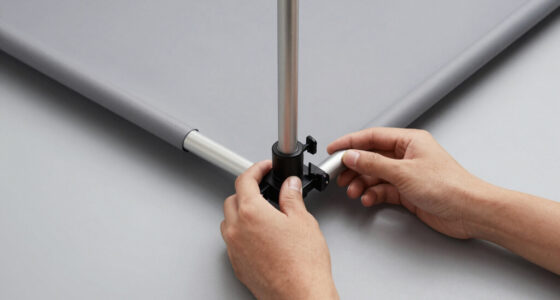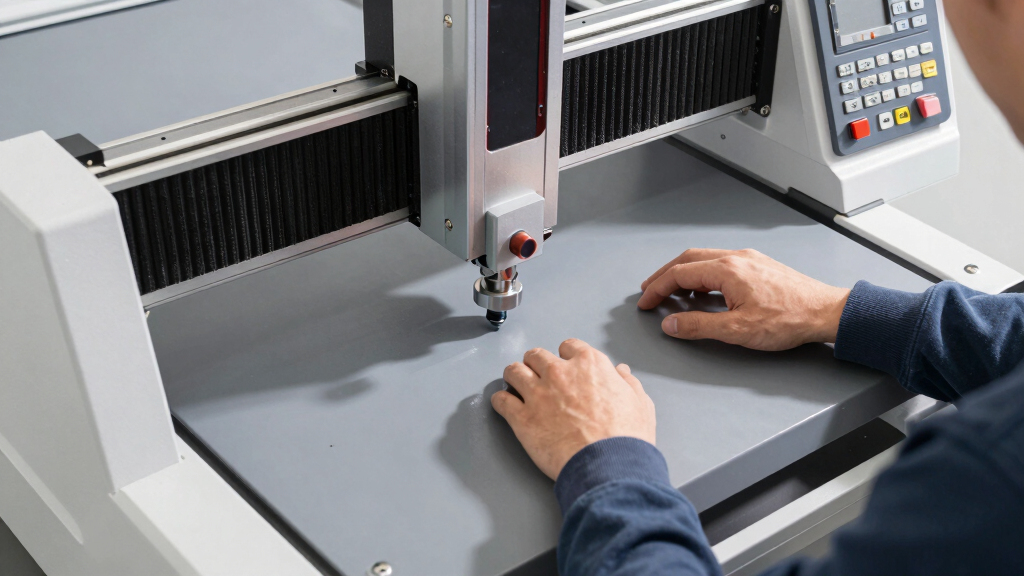

Searching for a desktop CNC machine can quickly become overwhelming due to the variety of options available. The best choice depends on your specific needs, whether you’re a hobbyist, a small business, or a beginner. The FoxAlien Masuter Pro stands out as the overall best for its balance of power and ease of use, while the Genmitsu 3018-PRO offers excellent value for those just starting out. More advanced users might lean toward the Carvera Air for its added features, but tradeoffs include cost and complexity. Continue reading for a detailed comparison that will help you find the perfect fit.
Key Takeaways
- The top picks balance ease of use, build quality, and versatility for different skill levels.
- The best overall model combines power, precision, and user-friendly features to suit a wide audience.
- Price often correlates with features—more expensive options tend to include advanced capabilities and larger work areas.
- Accessories and add-ons, like end mills and vises, significantly influence overall value and usability.
- Choosing a machine with good support and community resources can ease setup and troubleshooting.
| FoxAlien Masuter Pro 3-Axis CNC Router Machine for Hobbyists |  | Best Overall for Hobbyists and DIYers | Structure: All-metal framework | Z-axis: Linear rail | Working Area: 15.75″ x 15.75″ x 2.36″ (400 x 400 x 60mm) | VIEW LATEST PRICE | See Our Full Breakdown |
| Carvera Air Desktop CNC Machine with 4th Axis and Add-on Module by Makera |  | Best for Advanced Users and Complex Projects | Work Area Diameter: 3.6 inches | Work Area Length: 7.9 inches | Spindle Speed: 0–13,000 RPM | VIEW LATEST PRICE | See Our Full Breakdown |
| CNC Vise Worktable for Desktop CNC Router Machines – 7.87” x 3.94” (20x10cm), High Precision, 136mm Clamping Range |  | Best for Securing Small to Medium Workpieces | Dimensions: 7.87” x 3.94” (20x10cm) | Clamping Range: 136mm | Material: High-precision aluminum | VIEW LATEST PRICE | See Our Full Breakdown |
| LUNYEE 3018 PRO MAX CNC Machine 500W All-Metal 3-Axis Router with Limit Switches & Emergency Stop |  | Best for Small but Powerful Projects | Power: 500W | Working Area: 300 x 180 x 80 mm | Spindle Speed Range: 0-12000 RPM | VIEW LATEST PRICE | See Our Full Breakdown |
| Genmitsu CNC 3018-PRO Router Kit with GRBL Control, 3 Axis, 300x180x45mm Working Area |  | Best Overall for Hobbyists and Small Projects | Working Area: 300 x 180 x 45 mm | Control Software: GRBL (Arduino-based) | Spindle Speed: 20,000 RPM | VIEW LATEST PRICE | See Our Full Breakdown |
| Genmitsu 40pcs End Mills CNC Router Bits, 1/8″ Shank, Nano Blue & Titanium Coated, MC40A |  | Best for Material Versatility and Durability | Shank Diameter: 3.175mm | Cutting Diameter: 0.8mm – 3.0mm | Cutting Length: 17mm | VIEW LATEST PRICE | See Our Full Breakdown |
| Carvera Air Desktop CNC Machine with Makera CAM, Enclosed 3-Axis Mini CNC Mill with Quick Tool Changer and Auto Probing |  | Best for Precision and Small-Scale Production | Work Area: 11.8″ x 7.9″ x 5.1″ | Enclosure Dimensions: 19.7″ x 17.7″ x 17.7″ | Spindle Runout: < 0.0004 inch | VIEW LATEST PRICE | See Our Full Breakdown |
| SainSmart Genmitsu 3018-PROVer V2 CNC Router Machine for Beginners |  | Best for Entry-Level Users and Small Projects | Model: 3018-PROVer V2 | Material Compatibility: Wood, plastic, acrylic, PVC, PCB, carbon fiber, soft metals | Assembly: Pre-assembled main parts | VIEW LATEST PRICE | See Our Full Breakdown |
More Details on Our Top Picks
FoxAlien Masuter Pro 3-Axis CNC Router Machine for Hobbyists
The FoxAlien Masuter Pro stands out as the best overall choice for hobbyists seeking a reliable, all-metal CNC router that balances precision with ease of use. Its sturdy aluminum frame and linear Z-axis rail deliver consistent results on wood, acrylic, and nylon, making it ideal for small-scale projects. Compared to the LUNYEE 3018 PRO MAX, it offers a larger working area and versatile spindle options, though it doesn’t include the high-power spindle as standard. Assembly is straightforward, taking only 10-15 minutes, which is a plus for DIY enthusiasts. The primary tradeoff is that it’s geared toward hobbyist use, so it isn’t built for continuous industrial-grade operation or large projects. Overall, this machine makes sense for those wanting a durable, ready-to-assemble CNC for frequent, detailed craftwork without breaking the bank.
Pros:- All-metal construction ensures durability and precision
- Easy 10-15 minute assembly with pre-wired components
- Versatile spindle compatibility for different materials
- Large working area suitable for diverse projects
Cons:- Additional purchase needed for high-power spindle upgrades
- Limited to hobby-scale projects, not suitable for heavy-duty use
Best for: Hobbyists and DIY enthusiasts looking for a sturdy, easy-to-assemble CNC for small projects and detailed engraving.
Not ideal for: Professionals requiring industrial-grade durability or large-scale manufacturing capacities.
- Structure:All-metal framework
- Z-axis:Linear rail
- Working Area:15.75″ x 15.75″ x 2.36″ (400 x 400 x 60mm)
- Spindle Compatibility:60W, 300W, optional 65mm, 1.5KW spindle
- Controller:Dust-proof with emergency stop and home buttons
- Assembly Time:10-15 minutes
Bottom line: This CNC router is perfect for hobbyists who want a durable, versatile machine with straightforward setup and reliable performance.
Carvera Air Desktop CNC Machine with 4th Axis and Add-on Module by Makera
The Carvera Air excels in supporting complex, detailed machining thanks to its 4th axis and auto-probing features, making it better suited for users who need multi-axis capabilities. Its compact size, with a 3.6-inch diameter work area, limits large projects but allows for intricate work on small parts—unlike the LUNYEE 3018 PRO MAX, which offers a larger work zone but fewer advanced features. The quick tool changer and multi-OS compatibility speed up workflow and ensure flexibility. However, this machine has a learning curve, especially for beginners unfamiliar with 3D machining or multi-axis control. It’s ideal for makers working on detailed, multi-faceted designs but less suitable for those needing a larger workspace or a simple setup. If you want advanced features in a compact form, this pick fits well.
Pros:- Supports 4th axis for complex, multi-dimensional machining
- Quick tool changer accelerates workflow
- Auto-probing and leveling enhance precision
- Compatible across multiple operating systems and software
Cons:- Steep learning curve for newcomers
- Limited work area restricts larger projects
- Additional modules increase overall cost
Best for: Experienced makers and small business owners focused on detailed, multi-axis projects in a limited space.
Not ideal for: Complete beginners or those needing large work areas for bigger projects.
- Work Area Diameter:3.6 inches
- Work Area Length:7.9 inches
- Spindle Speed:0–13,000 RPM
- Supported OS:Mac OS, Windows, iOS, Android, Linux
- Additional Features:4th axis, auto-probing, quick tool changer
Bottom line: Ideal for experienced users seeking a compact, feature-rich CNC with multi-axis capabilities for detailed work.
CNC Vise Worktable for Desktop CNC Router Machines – 7.87” x 3.94” (20x10cm), High Precision, 136mm Clamping Range
The CNC vise worktable provides a stable platform for securing workpieces on desktop CNC routers like the Genmitsu 3018-PRO. Its high-precision aluminum construction offers durability and consistent clamping pressure, which is critical for achieving precise cuts. Compared to clamping solutions that rely on manual adjustments, this vise’s 136mm range and T-slot compatibility make it a versatile choice for small to medium projects. However, its size limits it to specific models, and larger workpieces may not fit comfortably. It’s an excellent addition for those wanting improved stability and accuracy but not suitable for very large or heavy-duty tasks.
Pros:- High-precision aluminum for durability and stability
- Large 136mm clamping range accommodates various small to medium workpieces
- Easy mounting with compatible slots and holes
- Fits popular models like LUNYEE 3018 and 4040 series
Cons:- Limited to specific CNC machine models
- May require additional tools for mounting
- Size may restrict use with larger projects
Best for: Owners of small to medium desktop CNC routers needing a reliable, precise clamping solution.
Not ideal for: Users with large workpieces or those operating on machines outside the compatible model range.
- Dimensions:7.87” x 3.94” (20x10cm)
- Clamping Range:136mm
- Material:High-precision aluminum
- Compatible Models:LUNYEE 3018, 4040 series, most CNC routers
- Slot Length:60mm
Bottom line: This vise worktable offers reliable, precise workholding for small to medium projects on compatible CNC routers.
LUNYEE 3018 PRO MAX CNC Machine 500W All-Metal 3-Axis Router with Limit Switches & Emergency Stop
The LUNYEE 3018 PRO MAX offers a compelling mix of power and stability, making it a strong choice for small-scale but demanding work. Its robust all-metal build, combined with a 500W spindle, allows for precise cutting on materials like wood and plastic—surpassing the FoxAlien Masuter Pro in power. The extended Z-axis travel of 80mm enables more versatile machining, while safety features like limit switches and emergency stop enhance usability. The main tradeoff involves the setup complexity, as calibration and adjustments are necessary before use, and the limited work area confines larger projects. This machine suits those who need a powerful, durable entry-level CNC capable of handling denser materials but don’t require large workspace dimensions.
Pros:- All-metal construction for durability and stability
- High-power 500W spindle suitable for dense materials
- Extended Z-axis travel for versatile machining
- Safety features like limit switches and emergency stop
Cons:- Requires technical setup and calibration
- Limited workspace size for larger projects
- Upgrade kits are sold separately
Best for: Small business owners or serious hobbyists needing a powerful, compact CNC for detailed work with safety features.
Not ideal for: Users requiring large work areas or straightforward plug-and-play operation without calibration.
- Power:500W
- Working Area:300 x 180 x 80 mm
- Spindle Speed Range:0-12000 RPM
- Maximum Movement Speed:5000 mm/min
- Material:All-metal
- Z-Axis Travel:80 mm
Bottom line: A solid choice for those seeking a compact yet powerful CNC with safety features and good material handling capacity.
Genmitsu CNC 3018-PRO Router Kit with GRBL Control, 3 Axis, 300x180x45mm Working Area
The Genmitsu CNC 3018-PRO stands out as the most versatile and user-friendly choice for hobbyists. Its straightforward assembly and compatibility with open-source GRBL software make it accessible for those new to CNC machining, especially when compared to the more specialized Carvera Air, which offers higher precision but involves a steeper learning curve. The 300 x 180 mm working area is suitable for small-scale projects like PCB engraving and soft metal work, though it limits larger batch production. The spindle’s 20,000 RPM supports a variety of materials, but the machine’s size constrains larger or more complex tasks. Optional upgrades can improve performance, yet they add to the cost, making it less ideal for those seeking a completely turnkey solution. Overall, this pick balances ease of use with material versatility for hobbyists willing to handle some setup complexity.
Pros:- Easy to assemble without complex component alignment
- Supports a broad range of materials including plastics and soft metals
- Open-source GRBL control software ensures flexible operation
Cons:- Limited to small projects due to size constraints
- Requires some technical knowledge for setup and operation
- Optional upgrades can increase overall cost
Best for: Beginners or hobbyists seeking a reliable, all-around desktop CNC for small projects and learning.
Not ideal for: Professionals or those needing large-scale, industrial-grade machining capacity.
- Working Area:300 x 180 x 45 mm
- Control Software:GRBL (Arduino-based)
- Spindle Speed:20,000 RPM
- Base Height:4 cm
- Material Compatibility:Plastic, soft aluminum, wood, acrylic, PVC, PCB
Bottom line: This machine is well-suited for hobbyists who want a reliable, versatile CNC for small-scale creative work.
Genmitsu 40pcs End Mills CNC Router Bits, 1/8″ Shank, Nano Blue & Titanium Coated, MC40A
This set of 40 high-quality CNC router bits makes it easier to handle diverse materials, from plastics to soft metals, offering a clear advantage over basic bits included in entry-level machines like the SainSmart 3018-PROVer. The Nano Blue and Titanium coatings extend tool life and resist heat buildup, which is vital for consistent results during longer jobs. However, proper collet matching is essential for compatibility, and the limited cutting length of 17mm restricts deep cuts or thick material milling. Compared with simpler bits, this set emphasizes durability and versatility, but it’s best suited to users who understand tool maintenance and machine compatibility. Its value lies in expanding the capabilities of existing CNC setups rather than being a standalone solution.
Pros:- Exceptional durability thanks to Nano Blue and Titanium coatings
- Suitable for a wide range of materials including plastics and soft metals
- Compatibile with most desktop CNC machines
Cons:- Requires correct collet size for proper fit
- Limited cutting length restricts deep milling applications
Best for: Experienced hobbyists or small workshops needing reliable, durable bits for various materials.
Not ideal for: Beginners or those with machines not compatible with 1/8″ shank bits.
- Shank Diameter:3.175mm
- Cutting Diameter:0.8mm – 3.0mm
- Cutting Length:17mm
- Overall Length:38mm
- Number of Pieces:40
Bottom line: This set is ideal for users who want durable, versatile bits to extend their CNC machine’s material range and lifespan.
Carvera Air Desktop CNC Machine with Makera CAM, Enclosed 3-Axis Mini CNC Mill with Quick Tool Changer and Auto Probing
The Carvera Air offers high precision and automation features like auto probing and quick tool changing, making it well-suited for detailed engraving and small batch manufacturing. Its enclosed design improves safety and dust containment, which is a notable advantage over open-frame models like the Genmitsu 3018-PRO. Although the work area of roughly 12″ x 8″ limits large projects, the high accuracy—thanks to spindle runout under 0.0004 inch and motor resolution of 0.0002 inch—makes it perfect for intricate work in small workshops or hobby setups. The machine’s compatibility with multiple CAD/CAM platforms broadens its appeal, but the setup complexity and limited work space could deter beginners or those with larger projects. This CNC is a strong choice for precision-focused craftwork within a small footprint.
Pros:- Enclosed design enhances safety and dust control
- High precision with auto probing and surface leveling
- Quick tool change speeds workflow
Cons:- Limited work area restricts larger projects
- Requires technical knowledge for setup and operation
- Designed primarily for small-scale tasks
Best for: Hobbyists or small professional workshops demanding high accuracy and automation for small parts.
Not ideal for: Those needing larger work areas or simple, plug-and-play operation for basic tasks.
- Work Area:11.8″ x 7.9″ x 5.1″
- Enclosure Dimensions:19.7″ x 17.7″ x 17.7″
- Spindle Runout:< 0.0004 inch
- Motor Resolution:0.0002 inch
- Tool Change Time:10 seconds
- Supported Software:Makera CAM, Fusion360, SolidWorks, VCarve Pro
Bottom line: This machine is ideal for precision work and small production runs where accuracy and safety are priorities.
SainSmart Genmitsu 3018-PROVer V2 CNC Router Machine for Beginners
The Genmitsu 3018-PROVer V2 is designed specifically for beginners interested in woodworking, engraving, or small-scale prototyping. Its pre-assembled main parts and straightforward software options like Easel and Fusion360 make initial setup less daunting compared to more complex machines like the Carvera Air. While its 300 x 180 mm working area is adequate for small projects, it’s limited for larger or more detailed manufacturing. The machine supports various materials, making it flexible for newcomers, but lacks an offline controller, which means dependence on a computer during operation. Although expandable with accessories like limit switches and E-Stops, it’s not suited for high-volume or highly precise industrial work. Overall, this CNC offers a friendly entry point with room to grow.
Pros:- Easy to assemble with minimal technical barriers
- Supports a variety of materials for versatile projects
- Expandable with accessories for future upgrades
Cons:- No built-in offline operation—needs a computer during use
- Limited work area for larger projects
- Requires some software setup knowledge
Best for: Beginners looking for an accessible, expandable CNC machine for small projects and learning the basics.
Not ideal for: Users needing large-scale production or advanced automation features without additional upgrades.
- Model:3018-PROVer V2
- Material Compatibility:Wood, plastic, acrylic, PVC, PCB, carbon fiber, soft metals
- Assembly:Pre-assembled main parts
- Accessories:Z-Probe, limit switches, E-Stop, expandable options
- Software Compatibility:Carveco, Fusion360, Easel
Bottom line: This machine suits beginners who want an approachable, expandable CNC for small-scale creations and learning.
How We Picked
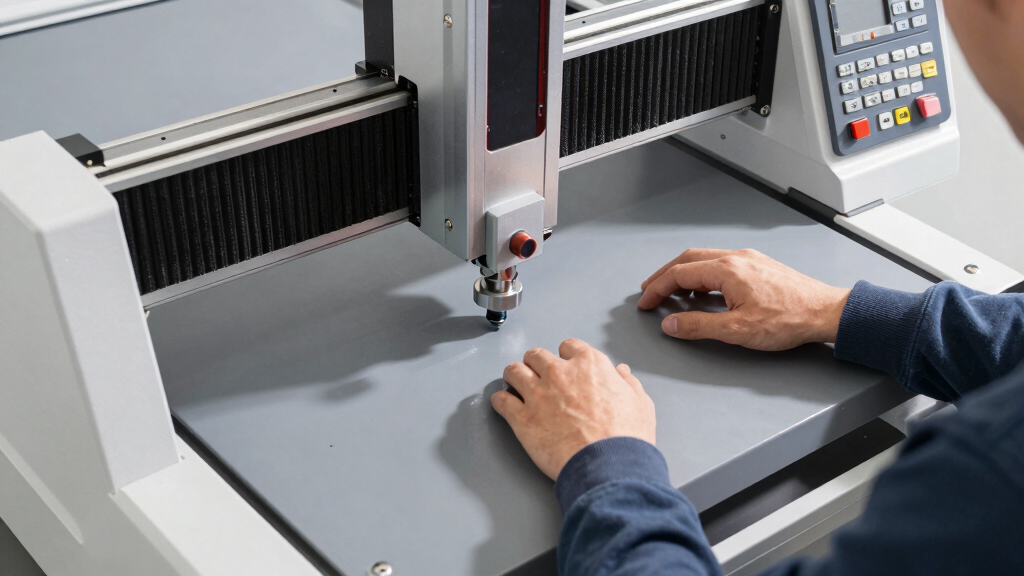
I evaluated each desktop CNC machine based on key factors that matter most to buyers: performance, build quality, usability, maintenance, and value. Machines with higher precision, reliable components, and intuitive controls ranked higher, especially for those new to CNC. I also considered the variety of features offered, like safety switches, expansion options, and compatibility with various software. Price-to-performance ratio was a consistent metric, ensuring that the top picks deliver value for different budgets. The ranking reflects a balance between beginner friendliness, advanced capabilities, and overall durability.Factors to Consider When Choosing Desktop CNC Machine
Choosing the right desktop CNC machine involves assessing several important factors. It’s not just about price; understanding how features impact usability and project scope can save you time and money. Consider your primary use—hobby projects, small-scale manufacturing, or learning—and match the machine’s capabilities accordingly. Pay attention to the build quality to ensure longevity, and evaluate the software compatibility to avoid frustrations. By understanding these considerations, you can avoid common pitfalls like overspending on features you won’t use or buying a machine that’s too advanced for your skill level.Work Area and Size
The size of the work area directly impacts the complexity and size of projects you can undertake. Smaller machines are more affordable and easier to fit on a desktop, but limit your project dimensions. Larger work areas increase versatility but also raise costs and require more space. Consider your typical project size and future needs before choosing, ensuring the machine can accommodate your intended workpieces without being overly bulky or underpowered.
Precision and Repeatability
Precision determines how accurately your machine can produce detailed designs, which is vital for quality results. Look for machines with high-quality stepper motors, rigid frames, and reliable guides. Repeatability ensures the machine can produce consistent parts over time, especially important for small batch production. Cheaper models might sacrifice some accuracy, so weigh your project requirements against the machine’s specifications to avoid frustration or subpar results.
Ease of Use and Software Compatibility
A machine’s software interface can make or break your experience. Beginners benefit from intuitive controls and straightforward setup, while advanced users might prefer compatibility with popular CAD/CAM tools. Some CNCs include dedicated software, while others rely on open-source options. Compatibility issues can lead to wasted time, so verify software support and look for models with active user communities that offer tutorials and troubleshooting help.
Build Quality and Reliability
Durability influences long-term performance, especially if you plan to use your CNC regularly. Look for sturdy frames made from metal or high-quality plastics, and check reviews for reports of wobble or misalignment over time. Reliable components like limit switches and safety features add to confidence, reducing downtime. Investing in a well-built machine pays off through consistent results and fewer repairs, especially when working on detailed or delicate projects.
Cost and Value
Balancing cost against features is key; more expensive machines often include larger work areas, higher precision, and better durability. However, budget options can be suitable for light hobbyist use or learning purposes. Avoid overspending on features you don’t need, but also be cautious of extremely cheap models that cut corners on essentials. Look for bundled packages with accessories, as these can enhance value without significantly increasing your total investment.
Frequently Asked Questions
Can I upgrade a desktop CNC machine later?
Many desktop CNC machines support upgrades such as adding a 4th axis, upgrading motors, or expanding software capabilities. However, compatibility varies, so it’s important to verify whether the base model can accommodate future modifications. Upgrading components can improve precision or expand your project possibilities, but it often involves additional costs and technical know-how. Planning for potential upgrades at the initial purchase can save you from replacing the entire machine later.
What safety features should I look for in a CNC machine?
Safety features like emergency stop buttons, enclosure covers, and limit switches are vital for safe operation. Enclosures help contain debris and reduce noise, which is especially important in small or shared workspaces. Emergency stops allow quick shutdowns if something goes wrong, preventing damage or injury. Ensuring your machine has these features and that you follow safety protocols will help create a safer working environment.
Is a larger work area always better?
Not necessarily. While a larger work area offers more flexibility for bigger projects, it also increases the machine’s cost, footprint, and complexity. For most hobbyists or small-scale projects, a compact machine provides sufficient capacity and easier handling. Consider your typical project size and workspace limitations before opting for a larger model, as bigger isn’t always better if it exceeds your actual needs.
How important is software support for a desktop CNC?
Software support is a critical factor because it directly affects how smoothly you can design, prepare, and run your projects. Good support means access to tutorials, troubleshooting, and active user communities. Compatibility with popular CAD/CAM tools can also influence your workflow efficiency. A machine with limited or incompatible software options may cause frustration or restrict your creative options, so choose one with proven software support aligned with your skill level.
What maintenance does a desktop CNC require?
Regular maintenance includes cleaning debris from guides and motors, checking belt tension, and lubricating moving parts. Ensuring that limit switches and safety features work properly is also essential for longevity and safety. Periodic calibration may be necessary to maintain precision. While maintenance is generally straightforward, neglecting it can lead to inaccuracies or breakdowns, so establishing a routine will keep your machine operating reliably over time.
Conclusion
For casual hobbyists and newcomers, the SainSmart Genmitsu 3018-PROVer V2 offers a user-friendly experience with good support and a manageable size. Those seeking the best overall balance of features and ease of use should consider the FoxAlien Masuter Pro, which suits a wide range of projects. Professionals or more advanced enthusiasts might prefer the Carvera Air for its expanded capabilities but should be prepared for a higher investment. Budget-conscious buyers will find the Genmitsu 3018-PRO to be a reliable entry point, while those needing larger work areas or specialized features may need to look toward premium models or custom setups.